.png?width=1459&height=292&name=__DetechtionAi_slategrey-red_TRANSPARENT%20(1).png)
Overview
If you're unable to sign in to the Enbase Dashboard, there are several troubleshooting steps you can try before contacting Compression Support.
This article covers common login issues and the information our team will need if additional assistance is required.
Common Login Issues
You may experience login issues if:
- Your username or password is incorrect.
- Your password has expired.
- Your account is locked.
- Your account has not been activated.
- Your account no longer has access to the Enbase Dashboard.
What problem are you experiencing?
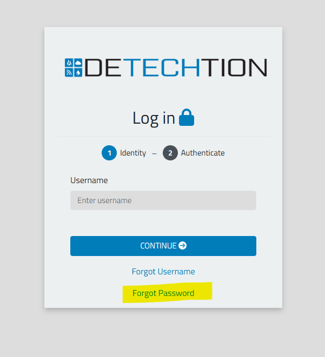
I forgot my password
If you've forgotten your password, follow the password reset instructions.
I need to set up Multi-Factor Authentication (MFA)
If you're logging in for the first time or MFA has recently been enabled for your account, you'll need to complete the MFA setup process.
My MFA code isn't working
If your verification code isn't being accepted, it may be caused by an expired code, incorrect device time, or an authenticator app issue.
I need to reset MFA
If you've changed phones, deleted your authenticator app, or Support asked you to reset MFA, follow the MFA reset instructions.
I don't have access to the dashboard
If you're unable to access the dashboard after successfully logging in, your account may not have the required permissions.
Please contact your company administrator or Detechtion Support for assistance.
My account is locked
If your account has been locked after multiple unsuccessful login attempts, please contact Support for assistance.
Troubleshooting Steps
Verify Your Email Address
Make sure you're signing in using the email address associated with your Enbase account. Using a different email address may prevent you from accessing your account.
Check Your Password
Verify that:
- Caps Lock is turned off.
- Your password is entered correctly.
- You're using your most recent password.
If you've forgotten your password, refer to the 'Forgot Password' article for additional assistance.
Confirm Your Account Is Active
If you recently requested access or had changes made to your account, your request may still be in progress.
If you're unsure whether your account has been activated, contact Compression Support.
Before You Submit Your Request
If you're still unable to sign in, please include:
- Your full name
- Company name
- Email address you're using to sign in
- The date and time the issue occurred
- Any error message displayed
- A screenshot of the login page or error message (if available)
Providing this information helps our Support team investigate your issue more quickly.
What Happens Next?
- A support ticket is created.
- A Support representative reviews your account.
- We investigate the reported login issue.
- We may contact you for additional information.
- Once resolved, we'll notify you that you can sign in again.
Best Practices
- Use your assigned business email address.
- Keep your password secure.
- Update your password when prompted.
- Include screenshots when reporting login issues.
Need Help?
Compression Support can assist with:
- Login issues
- Account access
- Password assistance
- Account activation
- General dashboard access questions
Contact Us - Support Information
Existing Customers
Compression Support
- Enbase — Email: enbasesupport@detechtion.com | Phone: 713-492-0008 (ext 2)
- Enbase Panel — Email: panelsupport@detechtion.com | Phone: 713-492-0008 (ext 4)
Prospective Customers
Sales Team
- Email: info@detechtion.com
General
- Support: support@detechtion.com
- General Information: info@detechtion.com