
🚀 Release Highlights v02-110-01
Release Date: Scheduled March 12, 2026
At a Glance - Summary of the most impactful changes in this release.
- Smarter Auto-Generated Task Completion
- Users can now complete multiple auto-generated tasks tied to the same inspection question at once, reducing repetitive task updates.
- Reading Sheets Navigation Improvements
- A new paginator allows users to quickly navigate across historical reading data directly within the Reading Sheets module.
- Department Task Assignment Visibility
- Users can now view which team members belong to selected departments before assigning a task, improving confidence and transparency in task distribution.
🔍 Feature Details - This section provides a deeper dive into the specific changes for those who need to know the "How" and "Why."
- Optimized Completion of Auto-Generated Tasks
What’s New
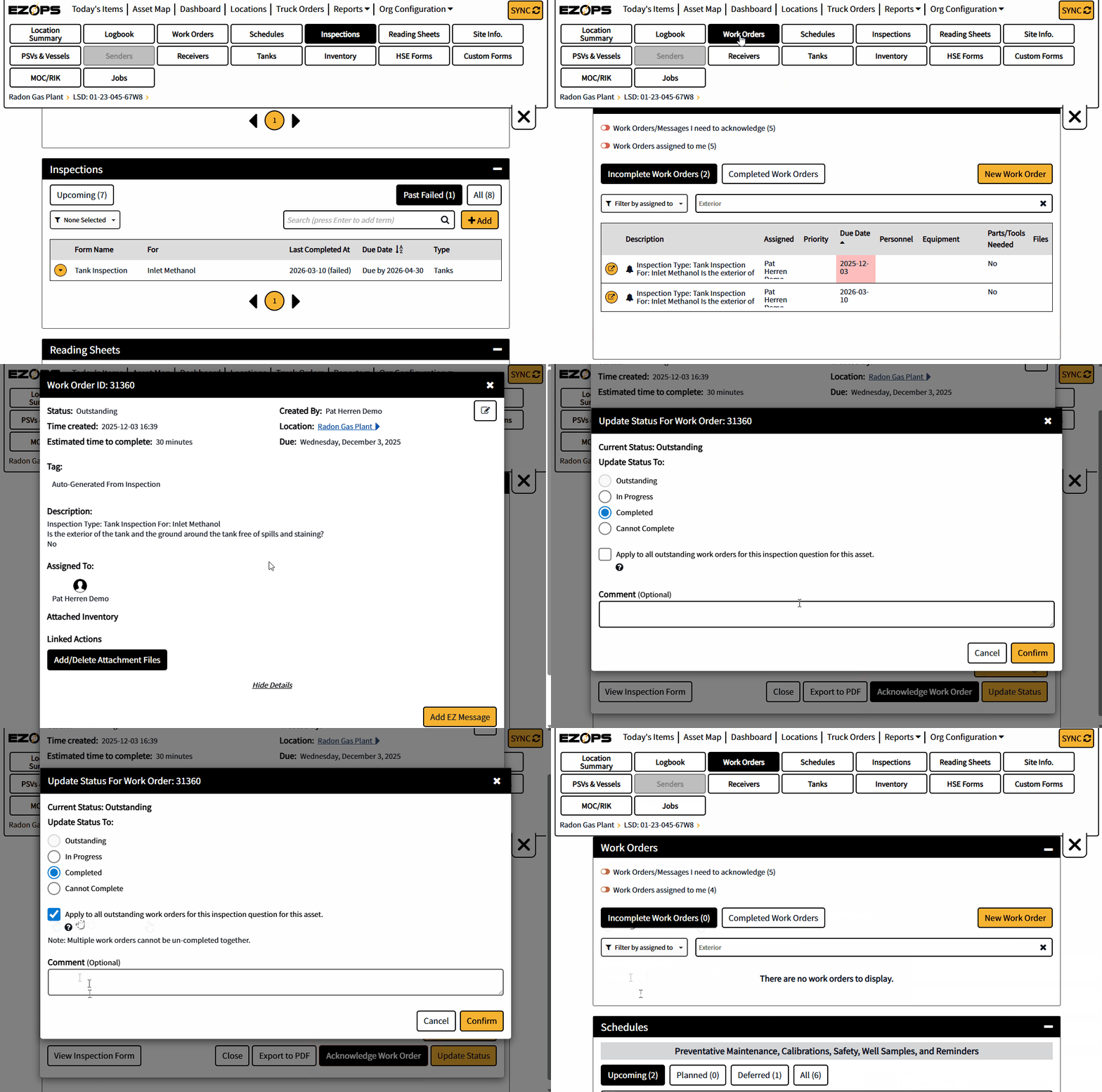
When completing an auto-generated task that originated from an inspection question, users can now choose to automatically update all related tasks tied to the same inspection question on that site.
A new checkbox has been added to the task completion modal that allows users to apply the completion action across matching tasks.
The Benefit
- Reduces repetitive task completion steps
- Saves time when the same inspection response generates multiple tasks
- Improves efficiency when addressing recurring inspection issues
How to Use
When completing a task created from an inspection question, select the option in the task completion modal to apply the update to all related tasks for that inspection question.
- Reading Sheets Module – Historic Data Navigation
What’s New
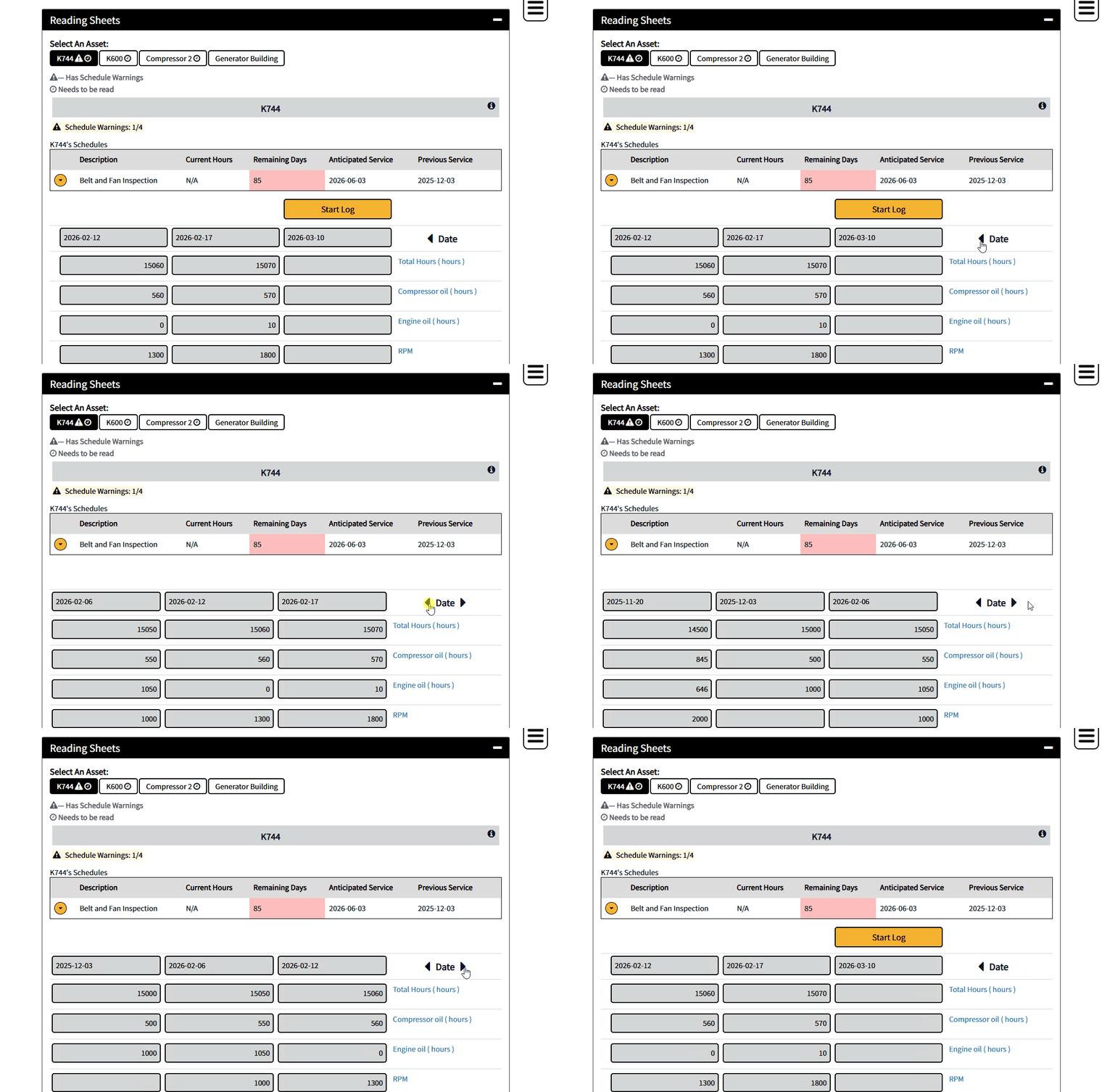
The Reading Sheets module now includes a paginator next to the date field, allowing users to quickly navigate through recent historical readings without opening each equipment record individually.
Navigation arrows allow users to move forward or backward through the available date range.
Additional mobile interface improvements ensure the date selector displays properly across devices.
The Benefit
- Faster access to historical readings
- Reduced navigation steps when reviewing equipment data
- Improved mobile usability
How to Use
Use the left and right navigation arrows beside the date field to move through available reading dates within the Reading Sheets view.
- Task Department Visibility
What’s New
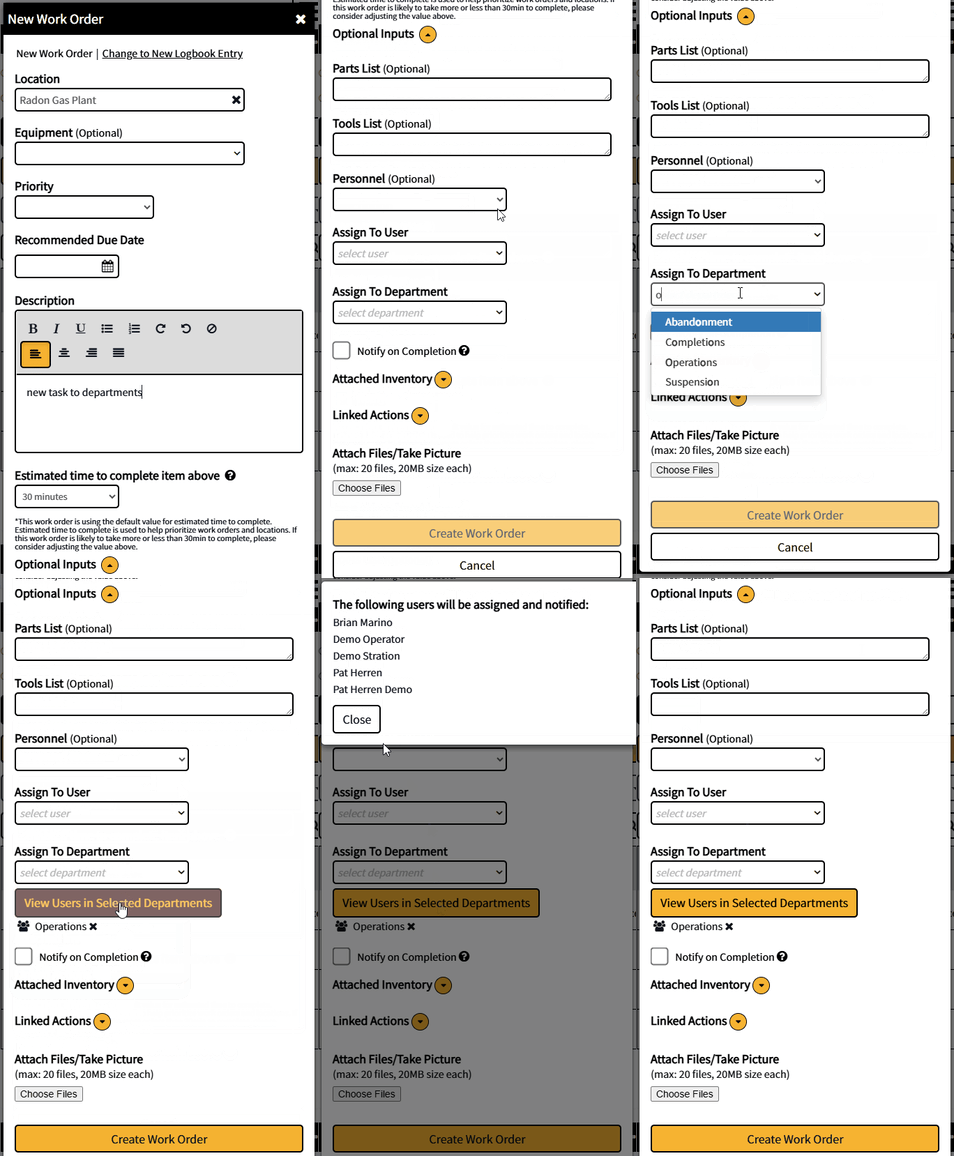
When assigning a task to a department, users can now view which individuals are currently part of the selected department before completing the assignment.
A new button beside the department selection opens a modal displaying the users associated with that department based on the selected location.
This feature is available when users are in-service and functions in online mode.
The Benefit
- Greater transparency when assigning tasks to departments
- Helps confirm who will receive notifications and responsibility for the task
- Reduces uncertainty when using location-limited departments
How to Use
When assigning a task to a department, select the option beside the department field to view the users currently associated with the selected department.
🛠️ Enhancements & Bug Fixes - Smaller improvements and technical corrections that keep the platform running smoothly.
- Custom Lists for Forms: Added support for creating reusable custom lists that can be referenced across form dropdowns and configuration pages, allowing teams to maintain shared option lists in a single location.
- Offline Sync Optimization for Disabled Modules: Improved sync behavior to respect module settings, preventing disabled modules from syncing data and ensuring a full refresh when modules are enabled or settings change.
- Expanded Sigma Report Display: Sigma Reports displayed in full-screen mode on Dashboard and EZ Insights pages now utilize the full screen width for improved readability and data visibility.
Need Help?
If you have questions about these updates or need technical assistance, please contact the Support team — ezopssupport@detechtion.com.