An asset type is the kind of record you create to represent a physical thing at a site, such as a tank, a compressor, a fire extinguisher, or a pipeline. Every asset belongs to a location, which is either a Plant or a Field Location. The asset type decides which actions operators can take on it: some types take inspections, some take reading sheets, some take tank levels and pump rates, and some take pig sends and receives.
Choosing the right asset type before you build anything saves rework. An asset set up as the wrong type cannot do the work you need, and moving it later means re-creating its schedules and history.
We recommend adding only the assets that operators will act on in EZ Ops: something they inspect, log readings against, follow a schedule for, gauge, pig, or use as a part on a task or job. An asset that no one will take action on in EZ Ops usually does not need to be added.
EZ Ops is built as a field-focused, action-oriented tool for entering data offline. It is not meant to replace a dedicated maintenance management system (CMMS) or a full asset register. Keeping it to actionable assets has three benefits:
- Less to sift through - Operators see the work that needs doing at a site, not a long list of records with nothing due
- Faster syncs - Every asset at a user's assigned locations is downloaded to their device, so fewer records means shorter syncs
- Faster time to value - New organizations get working inspections, readings, and schedules sooner when setup effort goes into the assets that drive field work
Misc Items and Inventory can hold any item, so it is possible to load a full inventory. We recommend starting with the items that have an inspection, a schedule, or regular use on tasks and jobs, and adding more only when a workflow needs them.
Plants vs Field LocationsPlants and Field Locations are the two kinds of location in EZ Ops. Every other asset in this article is added onto one of them.
What is a Plant
A Plant is the main grouping unit for operations, such as a gas plant, a large multi-well battery, a central facility, or an operational area. Plants sit under a Field, and every Field Location is related to a Plant. The Plant's Widgets tab controls which modules appear on the Plant's page and on the pages of the Field Locations related to it.
The Production Interface is the one module that is available on Plants only, for organizations that use location production.
A large facility can be split into several Plants, one per unit or phase, so that each crew sees only its own unit's work.
What is a Field Location
A Field Location is a site where daily field work happens, such as a well, pad, saltwater or multi-well battery, header, or riser. Each Field Location sits under a Field and must also be related to a Plant.
- Is Well - Mark a Field Location as a well when it is a real wellbore. Wells require a UWI and get a State and Depth tab for well state, depth, tubing size, and the Has Plunger checkbox.
- Pads - Wells can be grouped onto a pad. On a pad, many modules on the location page show a pad filter so you can work across the pad's wells or narrow to one.
How Plants and Field Locations Work Together
Other than the Production Interface, the same modules are available on Plants and Field Locations. Misc items, equipment, tanks, PSVs, vessels, meters, and pig senders and receivers can all be set up at either kind of location.
The Plant relationship is what drives user access. Assigning a user to a Plant as Plant and associated locations gives them the Plant and every Field Location related to it. Assigning a user to a Field instead limits them to that Field's locations, which keeps plant work and field work apart when different crews handle them.
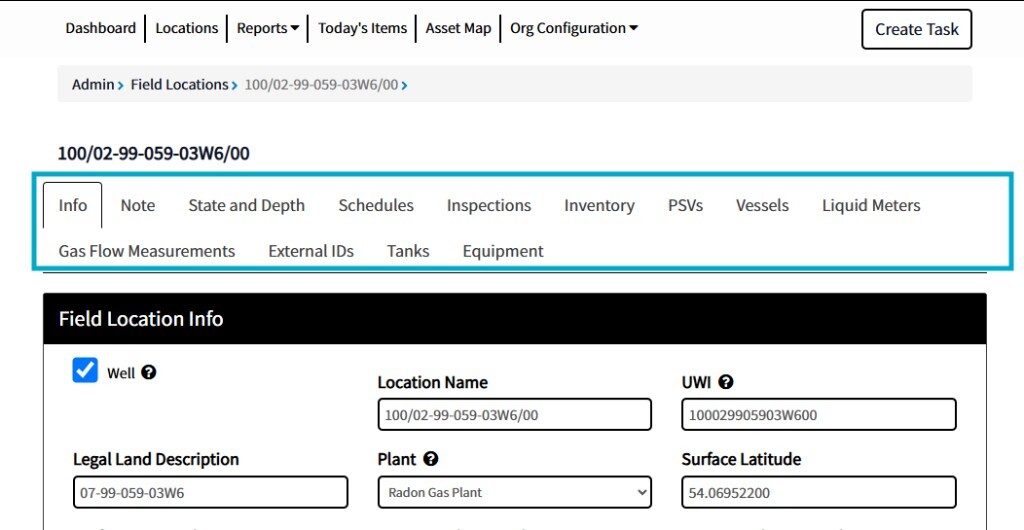
Where to Add an Asset to a LocationMost asset types are added from the location's configuration page. Open the location from Org Configuration → Plants or Org Configuration → Field Locations, then use the tab for the asset type:
- Misc Items (or Inventory) - Misc items and inventory
- PSVs and Vessels - Pressure safety valves and the vessels they protect
- Liquid Meters and Gas Flow Measurements - Meters
- Tanks - Opens tank configuration for this location
- Equipment - Opens equipment and reading sheet configuration for this location
- State and Depth - Wells only; holds the Has Plunger checkbox
Pipelines are configured separately under the Pipelines admin page, as pipeline groups attached to a Plant with sender and receiver locations.
Which Actions Each Asset Type SupportsUse this table to check whether an asset type can do the work you need before you set it up.
The Inspections and Schedules modules on a location page work the same way for every asset type, using forms your admin builds. Built-in in the table below means the asset has its own fixed screen instead, with fields and steps that cannot be changed.
| Asset Type | Where the Work Is Done | Inspections | Schedules | Readings or Logs | Used on Tasks and Jobs | Replace Action |
|---|---|---|---|---|---|---|
| Plant | Inspections and Schedules | Yes | Yes | Production (when enabled) | No | No |
| Field Location | Inspections and Schedules | Yes | Yes | No | No | No |
| Misc Items (inspectable type) | Inspections | Yes | No | No | No | Replacement question on the inspection |
| Misc Items (non-inspectable type) | Misc Items (or Inventory), and on tasks and jobs | No | No | Stock quantity | Yes | No |
| Equipment | Reading Sheets and Schedules | No | Yes | Reading sheets | No | No |
| Tanks | Tanks and Inspections | Yes | No | Tank levels and pump rates | No | No |
| Pipelines | Senders and Receivers, plus Inspections | Yes (right-of-way) | Pig and batch schedules | Pig sends and receives | No | No |
| PSVs | Built-in PSVs & Vessels module, plus Schedules | No | Yes | No | No | Yes |
| Vessels | Built-in PSVs & Vessels module, plus Inspections | Yes | No | No | No | Yes |
| Gas Flow Meters | Built-in Meters module for calibrations, plus Inspections | Yes | No | Service dates | No | Yes |
| Liquid Meters | Built-in Meters module for calibrations, plus Inspections | Yes | No | Service dates | No | Yes |
| Plunger | Built-in Plunger module only | Plunger inspections only | No | Mileage | No | New plunger |
| Catadynes | Built-in Catadynes module only | No | No | Status logs | No | No |
When you build an inspection form, the asset list it can be assigned to is Wells, Plants, Tanks, Vessels, GFM, Liquid Meters, Pipelines (when pigging is enabled), and Misc Items or Inventory (when that module is enabled). Equipment and PSVs are not on that list; they are covered by schedules instead.
Flexible Asset Types (Recommended)Misc Items, Equipment, Tanks, and Pipelines are the asset types we recommend for most setups. Misc Items and Equipment let your admin decide which details are recorded and which questions are asked, so they fit almost any workflow.
Misc Items and Inventory
Misc Items (called Inventory in some organizations) is the most flexible asset type and the catch-all for anything that needs inspection tracking. Your admin creates a type for each kind of item, adds whatever detail columns that type needs, and attaches an inspection form with the exact questions to ask. It can be shaped to fit almost any asset.
Misc Items types come in two kinds, set on the type:
- Inspectable types - For inspected assets, such as fire extinguishers, eye wash stations, first aid kits, vehicles, plungers, car seals, and custom vessel or PSV checks. Items get inspection schedules, and failed questions create tasks automatically.
- Non-inspectable types - For parts, materials, and tools. Items can be attached to tasks, jobs, and Field Tickets, and consumable items track stock quantity.
A misc item can also be attached to a tank or a piece of equipment, for example a filter that belongs to a compressor. When a part is swapped during an inspection, a replacement question on the inspection form updates the item in place so it keeps its inspection history.
Use Misc Items when the asset needs inspections and nothing else, or when a fixed-format module described below does not match your workflow exactly.
Equipment
Equipment is the asset type for anything that needs a reading sheet. Each unit has a reading sheet of rows your admin configures, and can have optional schedules for maintenance or service. A unit can also have sub-units, such as the cylinders on a compressor, that are logged on the parent's reading sheet.
Equipment is not limited to rotating equipment. Use it for any recurring set of readings or checks, including:
- Compressors, engines, and pumps
- Facility buildings and building checks
- Meters whose readings are logged on a sheet
- Wellhead production and wellhead checks
Equipment does not take inspections. If an asset only needs a periodic pass/fail check with no readings, use an inspectable Misc Items type instead.
Tanks
Tanks are for tank level tracking, in two kinds:
- Production tanks - Oil, water, NGL, and other produced fluids that fill over time
- Consumption tanks - Chemical tanks that empty over time, usually with pumps attached
Tanks support tank level entries, pump rate entries for the tank's pumps, and tank inspections. Each pump injects into an injection point at a well or plant, such as tubing, casing, or a pipeline, and an injection point can carry suggested chemical rates. Tank levels can also arrive automatically from sensors or the EZ Ops API.
Pipelines
Pipelines are added mainly for pigging and batching. Each pipeline runs from a sender location to a receiver location, and operators send and receive pigs and batches against it, driven by pig schedules. Pipelines can also take right-of-way inspections, though most organizations use those infrequently.
Fixed-Format Asset TypesPSVs, Vessels, Gas Flow Meters, Liquid Meters, Plungers, and Catadynes are purpose-built modules. They are still supported, but each one has a fixed set of fields and a built-in workflow, without customizable columns. They are a good fit only when your workflow matches theirs exactly. Otherwise, we will usually recommend an inspectable Misc Items type, which can record the same details with columns and questions you choose.
PSVs and Vessels
The PSVs and Vessels module tracks pressure safety valves and the vessels they protect, each with a fixed set of specification fields. Vessels take inspections; PSVs take schedules. Every PSV must be attached to at least one vessel, and a PSV detached from all its vessels becomes inactive.
Because the PSV-to-vessel relationships have to be set up and kept current, this module is more work to maintain than most organizations need. An inspectable Misc Items type for PSVs, vessels, or both is the usual recommendation unless you specifically need the built-in vessel and PSV structure.
Gas Flow Meters
Gas Flow Meters (shown as Gas Flow Measurements on the location configuration page and GFM in inspection setup) track meter runs with fixed fields such as run size and orifice size, plus service and calibration dates. They have their own calibration workflow and can also take inspections. Replacing a meter carries its inspection schedules over to the new meter.
Use Gas Flow Meters when the built-in calibration workflow is what you want. Otherwise, an inspectable Misc Items type gives you your own fields and questions.
Liquid Meters
Liquid Meters work the same way as Gas Flow Meters, with liquid-specific fields such as K-factor and liquid material. They have the same calibration workflow, can take inspections, and carry schedules over on replacement. The same recommendation applies: use them when the built-in workflow fits, otherwise use an inspectable Misc Items type.
Plungers
The Plunger module tracks the plunger installed in a well, its mileage, and plunger inspections logged against it. It is turned on per well with Has Plunger on the well's State and Depth tab. Plungers are wells only.
Most organizations track plungers as an inspectable Misc Items type instead, which lets your admin choose which plunger details are recorded and which questions get asked. That is the recommended approach.
Catadynes
Catadynes track catalytic heaters at a site, with a fixed set of fields and status logs (Lit, Off, or Needs Repair). They are turned on through the Plant's Widgets tab.
The Catadynes workflow is fixed. If your sites use standard catalytic heaters and only need to track whether each one is on, off, or needs repair, the Catadynes module works well. For more complex heating systems, such as glycol heat systems with pumps, an inspectable Misc Items type with a scheduled inspection is usually the better fit, because you choose the details and questions.
How to Choose an Asset Type- Confirm someone will act on it. If no one will inspect it, log readings for it, schedule work on it, gauge it, pig it, or use it on a task or job, it usually does not need to be added.
- Decide the location. Add the asset to the Plant or the Field Location where it physically sits.
- Does it need a reading sheet? Use Equipment.
- Does it need tank levels or pump rates? Use Tanks.
- Is it pipe that gets pigged or batched? Use Pipelines.
- Is it a part, material, or tool used on tasks and jobs? Use a non-inspectable Misc Items type.
- Does it only need inspections? Use an inspectable Misc Items type.
- Does a fixed-format module match your workflow exactly? Only then use PSVs and Vessels, Gas Flow Meters, Liquid Meters, Plungers, or Catadynes.
- Default to Misc Items for inspected assets - An inspectable type can model plungers, car seals, PSVs, vessels, and anything else with your own columns and questions, and it does not need the extra relationships the fixed-format modules require.
- Use Equipment for any reading sheet, not only machinery - Building checks, meter readings, and wellhead checks all fit, and the sheet can carry optional schedules.
- Pick one approach per asset kind - Tracking some plungers in the Plunger module and others as Misc Items splits their history across two places and two reports.
- Attach parts to the asset they belong to - Use a misc item's Attach To option to link it to the tank or equipment it serves, so it is easy to find when that asset is worked on.
Remember: An asset's type decides which actions it supports. Equipment cannot take inspections and PSVs cannot take inspections, so check the actions table before you build.