.png?width=1459&height=292&name=__DetechtionAi_slategrey-red_TRANSPARENT%20(1).png)
Overview
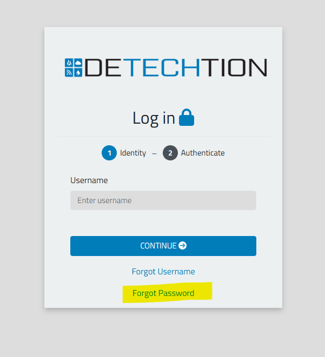
If you're having trouble logging in to your Detechtion dashboard, this article will help you identify the most common login issues and direct you to the appropriate solution.
What problem are you experiencing?
I forgot my password
If you've forgotten your password, follow the password reset instructions.
Related Article: I Forgot My Password
I need to set up Multi-Factor Authentication (MFA)
If you're logging in for the first time or MFA has recently been enabled for your account, you'll need to complete the MFA setup process.
Related Article: How to Set Up Multi-Factor Authentication (MFA)
My MFA code isn't working
If your verification code isn't being accepted, it may be caused by an expired code, incorrect device time, or an authenticator app issue.
Related Article: My MFA Code Isn't Working
I need to reset MFA
If you've changed phones, deleted your authenticator app, or Support asked you to reset MFA, follow the MFA reset instructions.
Related Article: How to Reset Multi-Factor Authentication (MFA)
I don't have access to the dashboard
If you're unable to access the dashboard after successfully logging in, your account may not have the required permissions.
Please contact your company administrator or Detechtion Support for assistance.
My account is locked
If your account has been locked after multiple unsuccessful login attempts, please contact Support for assistance.
Before Contacting Support
Please have the following information available:
- First Name
- Last Name
- Company Name
- Product
- Email Address
- Description of the issue
- Screenshot of any error message (if applicable)
Providing this information will help us resolve your issue more quickly.
Still Need Help?
If you're unable to resolve your login issue after reviewing the articles above, please contact Support.
Contact Us - Support Information
Existing Customers
Compression Support
- Enbase — Email: enbasesupport@detechtion.com | Phone: 713-492-0008 (ext 2)
- Enbase Panel — Email: panelsupport@detechtion.com | Phone: 713-492-0008 (ext 4)
OneView Compression
- OneView Compression — Email: oneviewsupport@detechtion.com | Phone: 713-492-0008 (ext 2)
Enalysis Support
- Email: erc@detechtion.com | Phone: 403-250-9220
Fieldlink Support
- Email: fieldlinksupport@detechtion.com | Phone: 713-492-0008 (ext 3)
EZOps Support
- Email: ezopssupport@detechtion.com
- Phone: 1-587-841-5878
Payload
- Phone: 1-800-516-7647
Prospective Customers
Sales Team
- Email: info@detechtion.com
General
- Support: support@detechtion.com
- General Information: info@detechtion.com